If your child’s school uses iReady assessments, you’ve probably seen the iReady score report. For many parents and even some educators, interpreting the iReady score chart can feel a little confusing at first. However, once you understand what the numbers mean, it becomes a valuable tool for tracking student progress and guiding learning. This article will walk you through what the iReady score chart is, how it works, and how to use it effectively.
What is the iReady Diagnostic Assessment?
The iReady Diagnostic is a widely used assessment tool designed by Curriculum Associates. It is commonly used in kindergarten through 8th-grade classrooms to assess students’ reading and math skills. Unlike a traditional test, the iReady diagnostic is adaptive, meaning it adjusts the difficulty of questions based on how the student responds. This helps pinpoint exactly where the student is academically.
Students typically take the iReady assessment three times a year — at the beginning (fall), middle (winter), and end (spring) of the school year. Each time, they receive a score that reflects their current academic level and growth.
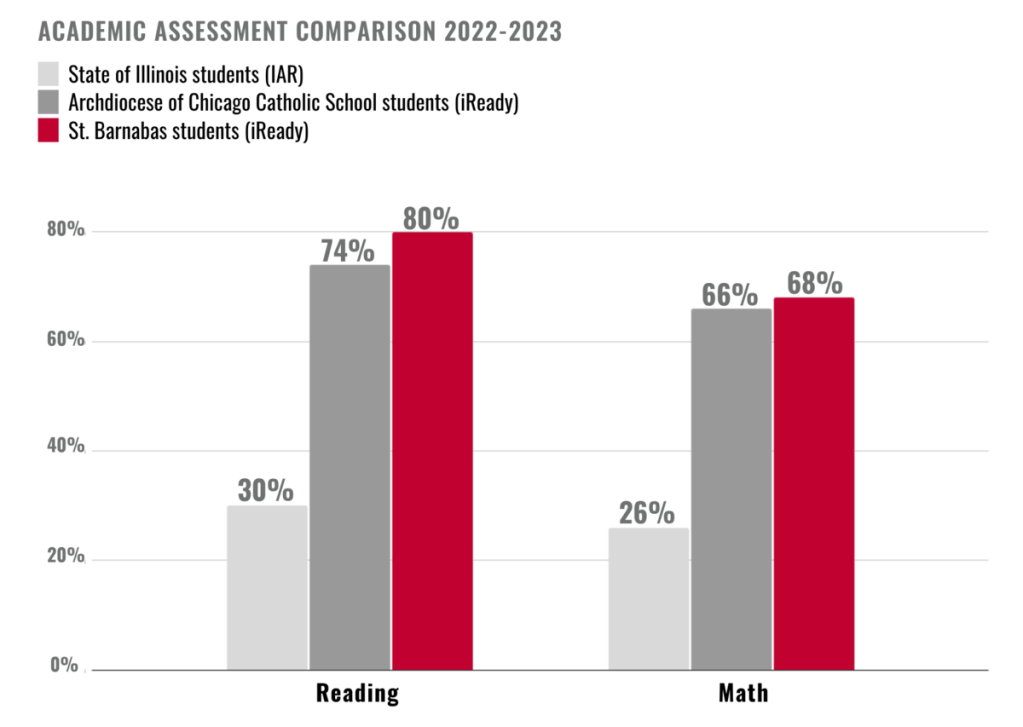
Understanding the iReady Score Chart
The iReady score chart is how teachers, students, and parents make sense of the diagnostic results. It provides both a scale score and a placement level to describe where the student is performing.
Scale Score
The scale score is a numerical value assigned to the student after the diagnostic test. This score does not represent a percentage or letter grade. Instead, it is a standardized score that allows teachers to track student growth across different time periods. Every grade has a range of expected scale scores.
For example, a typical 5th-grade student might have a scale score range between 510 and 575 for reading. A score of 540 in the fall, followed by a score of 560 in the spring, would show measurable growth.
Placement Levels
Placement levels help explain how the scale score compares to grade-level expectations. These levels are often labeled as:
- Mid or Above Grade Level
- Early On Grade Level
- 1 Grade Level Below
- 2 Grade Levels Below
- 3 or More Grade Levels Below
If a 4th-grade student scores 525 in math and the chart shows that 525 is considered “Early On Grade Level,” it means the student is performing slightly behind but within acceptable grade-level boundaries.
How to Read an iReady Score Report Step-by-Step
It’s important to understand how to read the iReady score chart properly so you can use it to support your child or students effectively.
Step 1: Find the Scale Score
The scale score is usually one of the first things listed on the score report. Check if the student is being assessed in math, reading, or both. Compare the scale score to the grade-level chart provided by iReady.
Step 2: Check Placement Level
The placement level shows how the student compares to grade-level expectations. This is usually color-coded on the report. Green typically means Mid or Above Grade Level, while yellow, orange, or red indicate varying levels below grade level.
Step 3: Examine Learning Domains
iReady breaks down the assessment into learning domains. In reading, this could include Vocabulary, Literature Comprehension, or Informational Text. In math, domains may include Numbers and Operations, Algebra, or Geometry. Students may perform better in some areas than others. The domain breakdown helps teachers and parents identify specific strengths and weaknesses.
Example of an iReady Score Chart Interpretation
Here’s an example to make it clearer:
- Grade: 3rd Grade
- Subject: Reading
- Scale Score: 515
- Placement Level: Early On Grade Level
- Domain Results:
- Vocabulary: Mid or Above Grade Level
- Comprehension of Literature: Early On Grade Level
- Comprehension of Informational Text: 1 Grade Level Below
In this case, the student is mostly on grade level but could use extra support in understanding informational texts.
Why the iReady Score Chart Matters
The iReady score chart is not just about labeling students. Its main purpose is to guide instruction and help students improve.
Benefits for Teachers
Teachers use the score chart to identify which students need intervention, enrichment, or targeted lessons. It also helps them monitor growth throughout the year, making sure students are making adequate progress.
Benefits for Parents
Parents can use the iReady score chart to stay informed about their child’s academic development. Understanding which domains need improvement helps parents support their child at home and engage in meaningful conversations with teachers.
Tips for Parents and Educators
- Always focus on progress, not just placement.
- Look closely at domain scores to find specific learning needs.
- Celebrate student growth, even if they are still below grade level.
- Work together — teachers, parents, and students — to set realistic goals.
Final Thoughts
The iReady score chart is a valuable resource that helps make sense of student performance data. While it may seem like just a set of numbers, it provides clear insights into student strengths, challenges, and academic growth. When parents and teachers understand how to use the chart effectively, it becomes a powerful tool to help students succeed.
 iReady Diagnostic Scores by Grade 2025-2026